Functions built around the way people actually use information
The Bexenford system is not a single tool but a set of coordinated functions that work together to receive, organise, and present structured information. Each function has a defined role, and the combination of these roles is what gives the system its usefulness as an integrated environment.
The descriptions below cover the principal functions available within the system. Where a function relies on processes that are not directly visible to users, the explanation focuses on the user-facing behaviour rather than the underlying implementation.
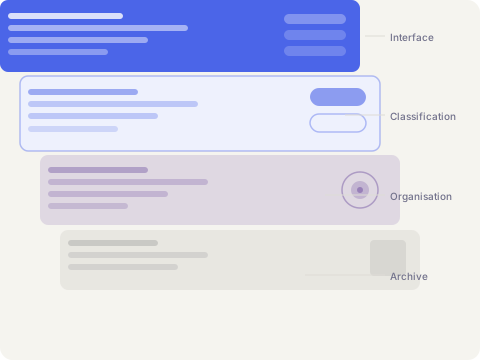
From intake to review: the sequence of operations
Each item of information that enters Bexenford follows a consistent path before it becomes accessible through the interface.
Intake and initial assessment
When new information is introduced to the system, it passes through an intake stage where it is examined for completeness and basic structural validity. Records that do not meet the minimum requirements for classification are held separately and flagged for manual attention. This stage ensures that only well-formed records proceed further into the system.
Automated classification
Records that pass the intake stage are processed by the classification layer. This layer analyses the content of the record and assigns it to one or more categories within the system's taxonomy. Classification is informed by the record's content, any associated attributes, and the existing structure of nearby records in the same category group.
Relationship mapping
Following classification, the system identifies relationships between the newly arrived record and others already present. These relationships are stored as navigable links and surfaced in the interface alongside the primary record. Relationships are directional — a record may reference others without those records returning the reference — which reflects the way real information networks operate.
Interface indexing
Once a record has been classified and its relationships mapped, it is added to the interface index. The index determines where the record appears in navigation, which search terms it responds to, and how it is presented in category listings. Indexing is the final step before a record becomes visible to users with the appropriate access level.
User review and interaction
Authorised users can locate and review records through the interface. They may browse by category, use the search index, or follow relationship links from a record they are already viewing. Users may also annotate records with notes visible only to their account, or submit enquiries about specific content through the support channel.
Functions accessible within the user interface
The following tools are available to users within the Bexenford interface, subject to the access level associated with their account.
Structured record browsing
Navigate the full set of available records using the category hierarchy. Each category level can be expanded to reveal sub-categories, and the breadcrumb trail at the top of each record shows its position within the overall structure.
Content search index
The search interface queries the full text of indexed records and returns results ranked by relevance. Search terms are matched against record titles, body content, category labels, and contextual notes. Results can be filtered by category, date range, or record type.
Relationship navigation
Each record display includes a panel listing related records identified during the relationship-mapping stage. Users can follow these links to move through connected content without returning to the main category view, maintaining a continuous path through the information.
Account record workspace
Users have access to a personal workspace where records they have reviewed or saved appear in a consolidated list. This workspace is private to each account and is not shared with other users. Records in the workspace retain their links to the main catalogue and update if the underlying record is revised.
Contextual summaries
Where editorial notes are available for a record, they appear as a collapsible summary panel above the main content. These summaries provide orientation for users approaching a record for the first time, offering a brief explanation of the record's purpose and its place within the broader category.
Support and enquiry channel
Users who have a question about a specific record, a classification decision, or the access process can submit an enquiry through the support channel. Enquiries are routed to the relevant team member and responded to in the order they are received. The channel is available to all account holders.
Ready to explore the system or submit an access request? The Bexenford support team reviews enquiries and can help identify the most relevant area of the system for your needs.
Get in touch